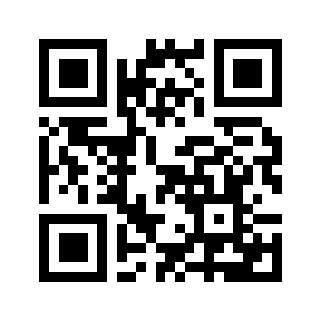
Free Forever. No credit card required.

The Calendar That Actually Works on Mobile

Tired of desktop-first calendar apps with terrible mobile experiences? Flowday is built mobile-first. Fast, offline-capable, and synced with Google Calendar.

No credit card
Works offline
2-way sync
+500
500+ happy users
4.8 • 500+ reviews on App Store
9:41

Today

Wednesday, Jan 15

Team standup

9:00

Synced

Design review

10:30

Lunch break

12:00

Client call

14:00

Synced

Deep work

16:00

+

Switching from Morgen, Motion, or Akiflow?

Same power. Actually free.

Built for how you actually work

No more fighting with clunky interfaces. Flowday just works.

$0

Free Forever

Unlike Motion ($19/mo), Akiflow ($15/mo), or Morgen's new paid plan, Flowday's core features are free. Forever. We believe productivity tools should be accessible to everyone.

Motion $19/mo Akiflow $15/mo Morgen $9/mo

Mobile First

Other apps treat mobile as an afterthought. Flowday is designed mobile-first. Fast, responsive, and a joy to use on your phone.

Works Offline

No internet? No problem. Flowday works offline and syncs when you're back online. Your tasks are always available.

Real-Time Sync

2-way sync with Google Calendar. Changes appear instantly across all your devices. No more manual refreshing.

Intelligent Time Blocking

Drag tasks directly onto your calendar. Flowday respects your existing commitments and finds the perfect time slots.

Unified Calendar

See all your calendars, tasks, and time blocks in one view. No more switching between apps.

Built with ADHD in mind

Finally, a task app that gets your brain

Overwhelmed by endless lists? Flowday shows you exactly what to focus on right now. Visual time blocks help you actually start tasks, not just plan them.

  • Visual time blocking reduces decision fatigue
  • Single-task focus mode eliminates overwhelm
  • Gentle reminders, not anxiety-inducing alerts
Focus: Now

Write project proposal

2:00 PM - 3:30 PM

Next: Team standup

3:30 PM

Loved by productive people

See what others are saying about Flowday.

Finally an app that understands the ADHD brain! The time blocking actually helps me start tasks.

Anna K.

UX Designer

Switched from Motion - never looked back. Same features, works offline, and actually free.

Tomek M.

Software Developer

The mobile experience is incredible. Other calendar apps feel clunky after using Flowday.

Kasia P.

Product Manager

Frequently Asked Questions

Everything you need to know about Flowday.

How is Flowday different from Akiflow or Motion?
Unlike competitors that focus on desktop versions, Flowday is built with a Mobile-First philosophy. Our mobile app is fully functional, works offline, and is lightning fast. You're not tied to your desk – you can manage your entire day from your phone, without the bugs and freezes that users of other platforms complain about.
Is it really free forever? What's the catch?
Yes, it's truly free forever – no hidden costs, no trial that expires. The catch? There isn't one. We believe in letting you experience the full value before you decide to upgrade. The free plan includes unlimited tasks, basic calendar import, and all core features. Premium features like advanced analytics and team collaboration are available with paid plans, but you'll never be forced to pay to keep using the app.
How is this different from Notion or Todoist?
Notion is great for documentation and wikis, but it's slow on mobile and overwhelming for daily task management. Todoist is solid for lists, but lacks time-blocking and calendar integration. Flowday combines the best of both: simple task management WITH a real calendar view, time-blocking, and a mobile-first experience that actually works offline. We're built specifically for planning your day, not managing a knowledge base.
Will my data be safe?
Absolutely. Your data is encrypted in transit and at rest. We use industry-standard security practices and never sell your data to third parties. Your tasks and calendar events are your private information – we treat them that way. You can also export your data anytime.
Does the app work without internet access?
Yes. Flowday has full offline mode. You can add tasks and plan your day on a plane or in the subway. All changes will sync automatically as soon as you regain connection.
I have ADHD and often abandon planners after a week. How will Flowday help me?
We know that pain. Flowday doesn't punish you for incomplete tasks. Our "Evening Shutdown" ritual lets you move backlog to "Tomorrow" or "Someday" without guilt. Plus, the visual day progress bar and micro-rewards (like confetti) help maintain dopamine and motivation.
Does Google Calendar sync work both ways?
Yes. We offer full, two-way real-time sync. If you change something in Flowday, it appears in Google Calendar instantly – and vice versa. Your calendars stay perfectly in sync across all devices.

Not ready to download yet?

Get productivity tips for ADHD brains. No spam, unsubscribe anytime.

Ready to take control of your time?

Join thousands of users who've switched to Flowday. No credit card required.